


Tiresnap - Sidewall Scanner
AI-powered scanner for tire sidewall markings.
Authentication details
This API uses OAuth 2 as an Authentication mechanism along with a combination of apikey in the header (mandatory).
High-Level Steps:
- When a consumer registers an app for any API product in Apigee developer portal, a client id and client secret is created.
- Client ID is treated as API Key and used to authenticate the consumer for subsequent API calls. Also, Send header parameter as 'apikey'
To know more about OAuth and generate your Access token, refer to this documentation - OAuth Guideline
Guidelines on how to use this API
Tiresnap Modes
The API offers two modes:
- Tire-Only Mode: Recognizes and extracts information solely based on what is detected on the tire sidewall.
- Tire + Rim Mode: Includes analysis of rim design/pattern to guess the make/model of the vehicle. Is slower than Tyre-only mode.
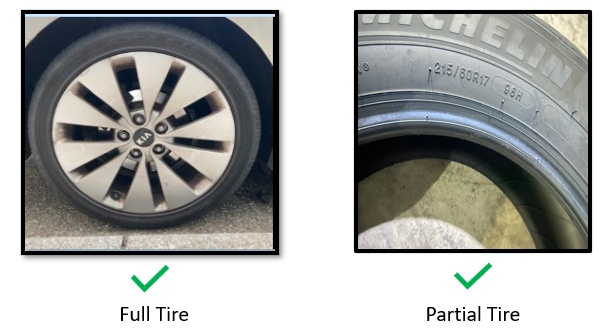
Guidelines on Image Quality
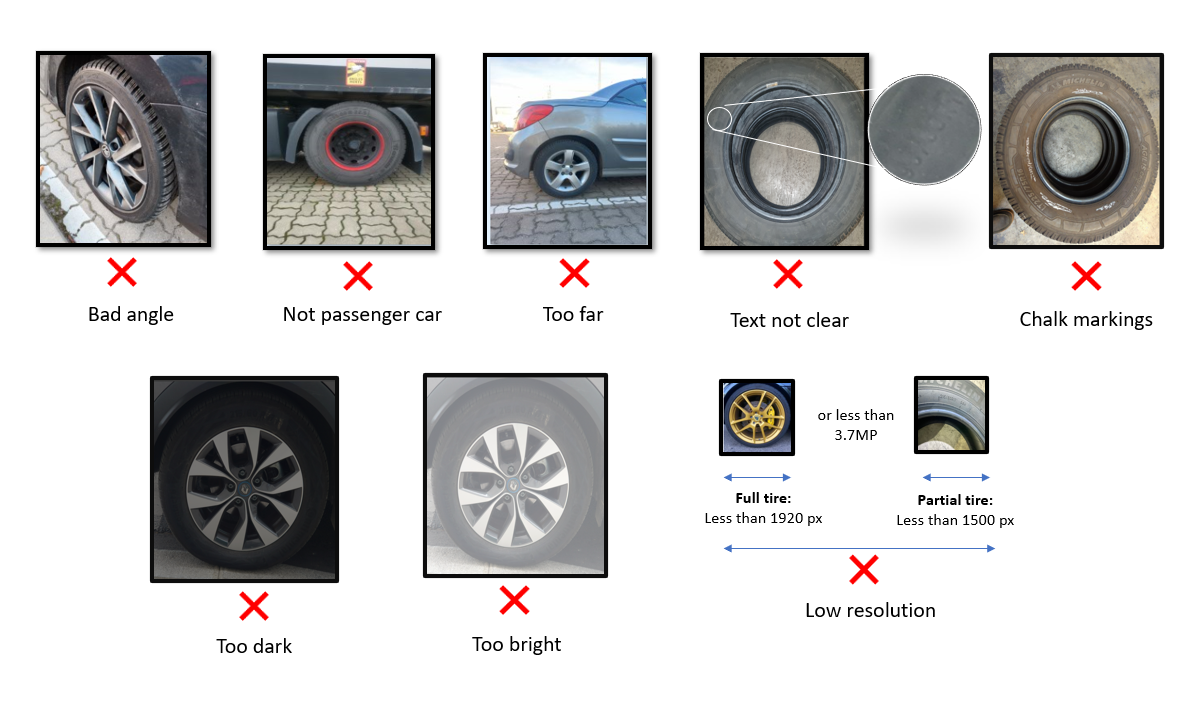
- Image should be taken in daylight for best results. Indoor parking/low lighting results may not be good.
- Image formats supported JPEG, PNG, JPG, BMP, HEIC, TIF, JFIF
The Tiresnap API may result in low accuracy for the images marked with an 'X' (cross mark).
References
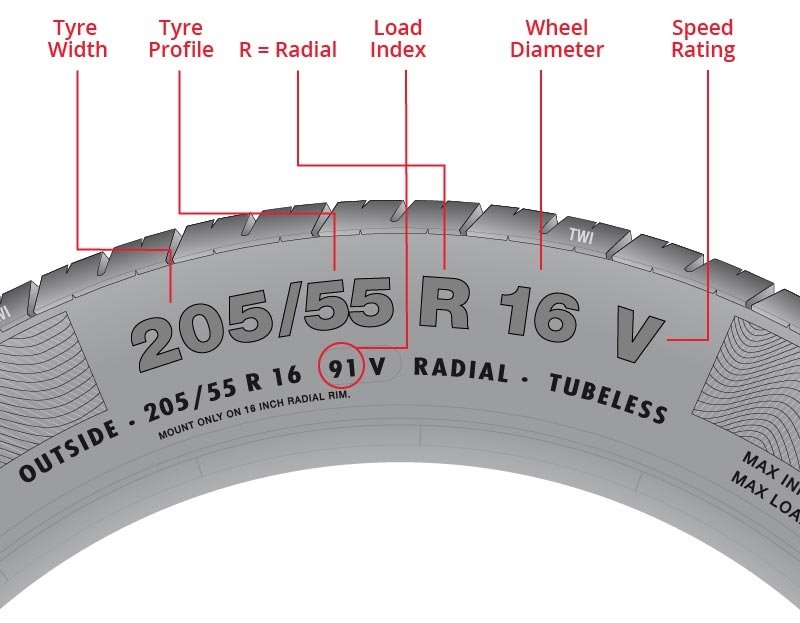
Know Your Tyre Better
Release notes
V13
- Enhance to handle 422 status code responses directly.
- Adjust response to set status_code based on response message.
- Revise image URL to return a structured error message for invalid base64-encoded URLs.
Optimized infrastructure costs by downsizing the Kubernetes worker node pool from 9 to 8 instances.
Show more release notes (12)
V12
- A business rule change in default mode to display TireSnap tire dimensions in the response and to use missing tire dimension values from Tiremotion only when TireSnap is unable to retrieve those values.
- Bug fixes
V11
Fixes related to M+S and 3PMSF confidence scores and vertical tire dimension detections for partial tire images.
V10
1. Detection of M+S and 3PMSF for full tires
2. 'ZR' is added to tire dimension, when detected by the Tiresnap API
3. Enhancements have been made to the vertical tire dimension detection in full tires.
V9
1. Improved detection capabilities for vertical tire dimensions in partial tires.
2. Enhancements to the tire dimension format: {LT} <width>/<aspect_ratio>R<diameter> {C} <first axle LI>/<second axle LI><single char SI>. For example, in the case of 107/109V, the model will return both load indexes.
3. Added support for rim diameters that consist of decimal values for light trucks. For example, a diameter of 22.5 can now be specified in formats such as 305/75R22.5.
4. Implemented validation for image dimensions, enforcing a threshold of 500x500 pixels for both full and partial tires. Updated error messages to notify users of non-compliance.
V8
The data quality checks for resolution and focus measure have been eliminated to allow for the processing of a greater number of images.
V7
Enhancements to tire sidewall reader algorithm
V6
- Enhanced system capabilities to support partial tire images with a minimum resolution of 1500 pixels.
- Support for the .heic and .jfif image formats to improve compatibility.
V5
New model architecture
V4
- Scanning TireSize from a partial sidewall image
- Detection of DOT on full tire sidewall. Details related to DOT - dot_literal, manufacturing_code, dimension_code, optional_code, manufacturing_date are added to the response
V3
DOT is added to the response
V2
- Tire Line and Tire Brand zone coordinates are added to the response.
v1
- Full Tire version of Tire Size Recognition API.
- Tire dimension zone coordinates are added to the response.