

Please connect from a desktop to activate our interactive interface
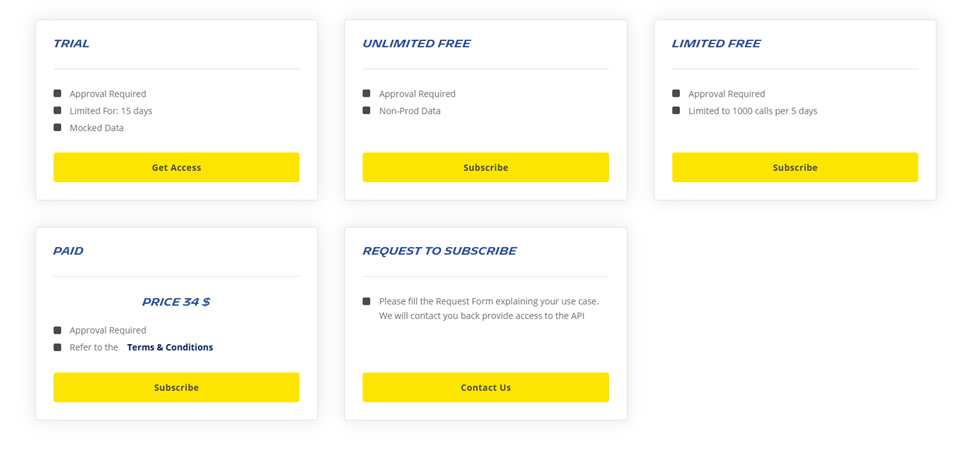
The “Plan of Usage” field specifies the type of subscription plan a user has selected for accessing the API. This field helps in managing and monitoring API usage based on the plan’s limitations and benefits. The available plans include:
- Trial: This plan offers a limited-time access to our API, allowing users to explore its features and capabilities before committing to a subscription.
- Limited Free: Ideal for users with minimal usage needs, this plan provides a restricted number of API calls per month at no cost.
- Unlimited Free: For users who require more extensive access, this plan offers unlimited API calls without any charges, subject to fair usage policies defined by API Publishers.
- Paid: Tailored for businesses and developers with high-demand needs, this plan provides premium access to our API with enhanced support and additional features.
- Request to Subscribe: With this plan, the user needs to request to publishers for the usage of API Products with their business needs and justification.
How to add a Plan of Usage to your product on Portal:
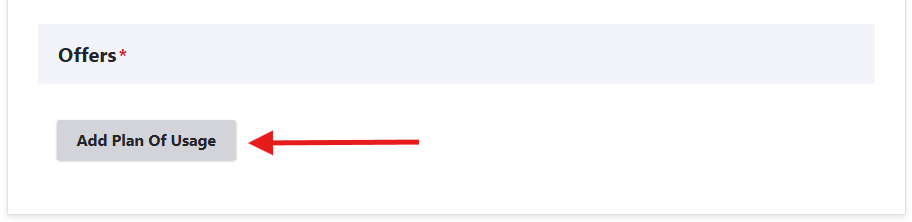
To edit a published product, click on 'Edit' and navigate to the "Plan of Usage" section. Then, within the 'Offers' section, select the 'Add Plan of Usage' button.
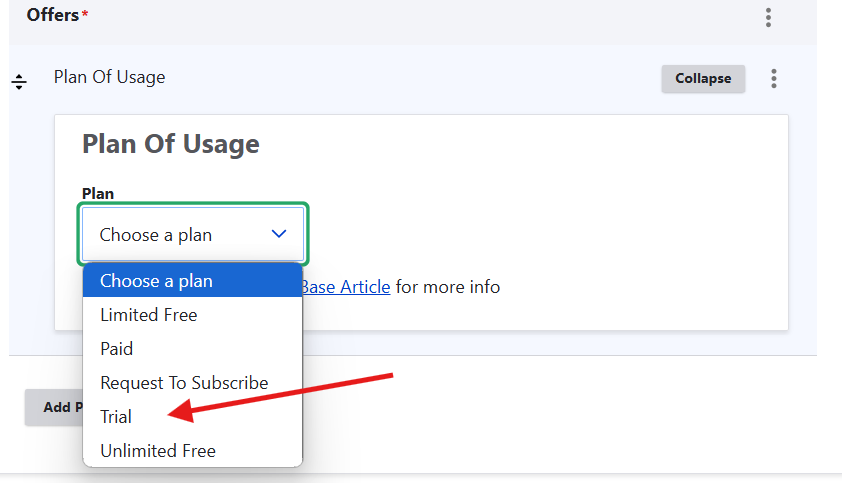
After adding plan of usage field you need to select the 'Plan' according to your API product configuration and your needs.
This field includes options like Trial, Limited Free, Unlimited Free, Paid, Request to Subscribe
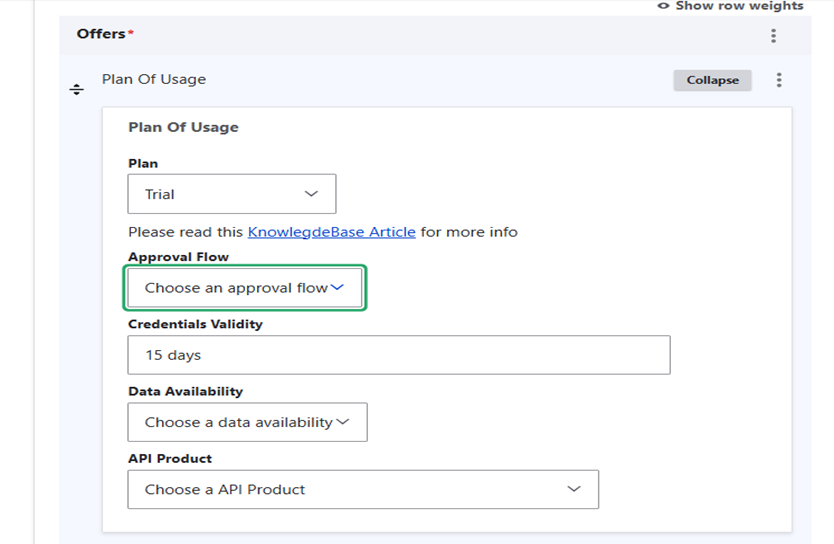
Trial Plan: -
The Trial plan is perfect for users who want to evaluate our API before making a long-term commitment. This plan provides limited-time access (15 days), allowing users to explore the various functionalities and capabilities of the API. It helps users ensure that the API integrates well with their existing systems and workflows. Can have mocked data or non prod data.
Limited Free Plan: -
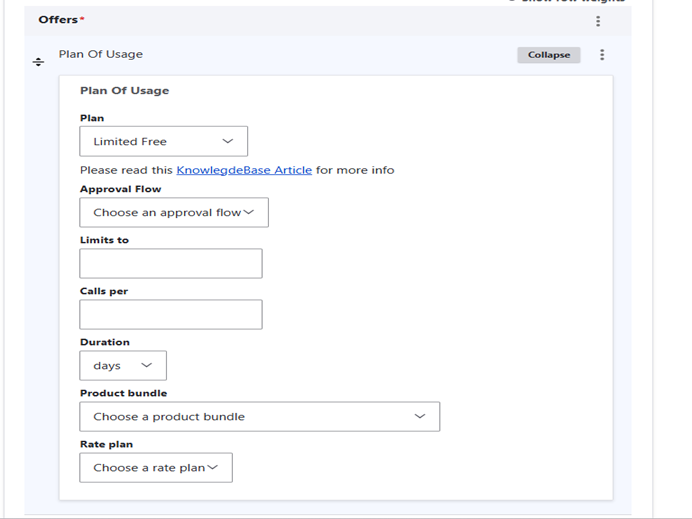
The Limited Free plan is designed for users who have minimal usage requirements. It offers a set number of API calls each month without any cost. By providing a limited but sufficient amount of free usage, it allows users to benefit from the API’s features while managing their usage within the provided limit
Unlimited Free Plan: -
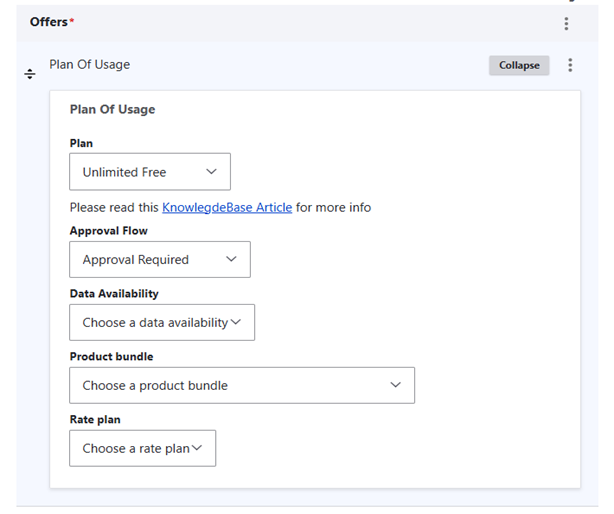
The Unlimited Free plan is designed to provide extensive and continuous access to our API without any charge. By offering unlimited API calls, It ensure that users can fully leverage the API’s capabilities for their applications. However, to maintain service quality and availability for all users, this plan is subject to fair usage policies.
Paid Plan: -
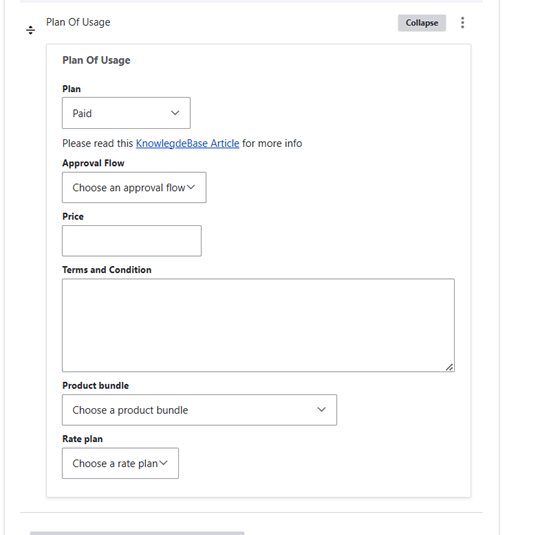
Paid plan is specifically designed to meet the needs of businesses and developers with high-demand requirements. This plan offers premium access to our API, ensuring that users receive the highest level of service and performance. Make sure to include the appropriate "Terms & Conditions" for your API Product. Also, remember that the Portal does not currently handle invoicing, so be sure to provide clear information for users.
Request To Subscribe: -
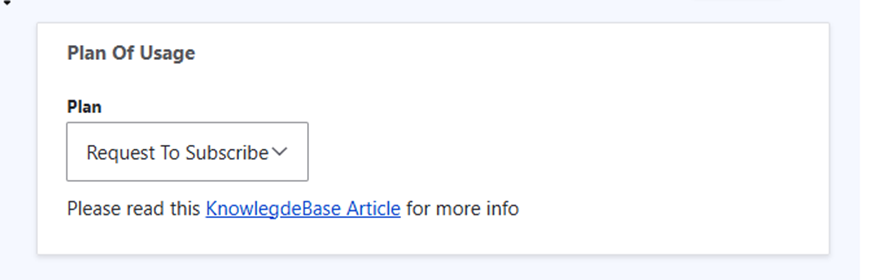
Request to Subscribe plan is tailored for users who have unique requirements that are not met by our predefined plans. Whether they need specialized access, unique features, or particular usage limits. Consumers need to fill up form to get access to API.
Note that this plan does not generate any credentials for users; it is the responsibility of API producers to create and share the necessary details with users.
Remember these key points
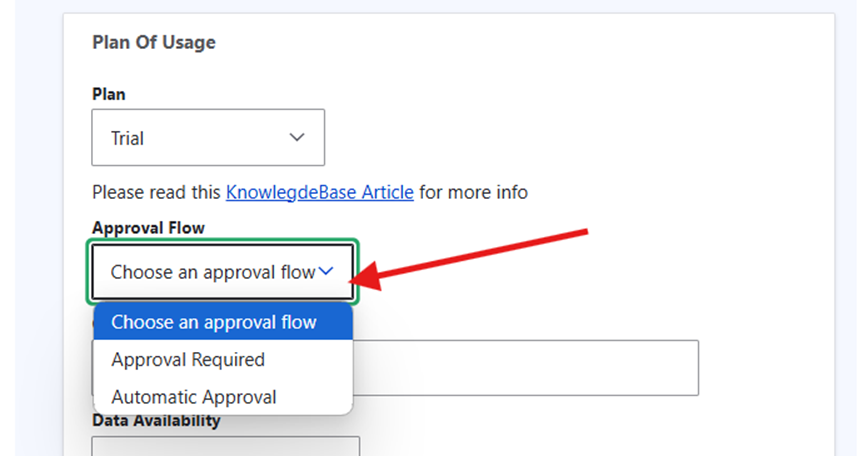
Choose the correct Approval Flow:
The API credential approval process simplifies the granting of user access.
Automatic Approval - API credentials are enabled for users without needing further approval.
Approval Required - API Producers must manually approve the request through the APIM Platform. This allows API producers to verify the legitimacy of users before granting access to the API product.
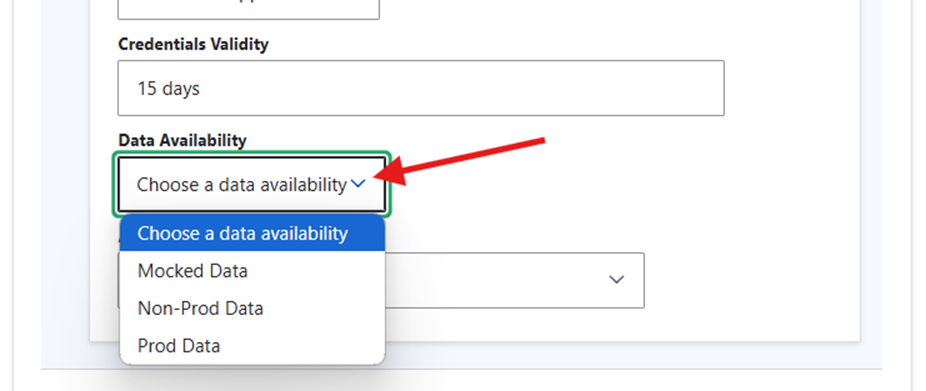
Data Availability: -
Data Availability in API refers to the types of data that users can access through the API. This can include different environments and data sets, such as Mocked Data, Production Data, and Non-Production Data.
Mocked Data: Simulated data for testing and development without exposing sensitive information. To create mock data you can use the Microcks tool.
Non-Production Data: Data from staging/sandbox environments, often anonymized for safety.
Production Data: Real data used in live environments, crucial for real-time services and highly secured.
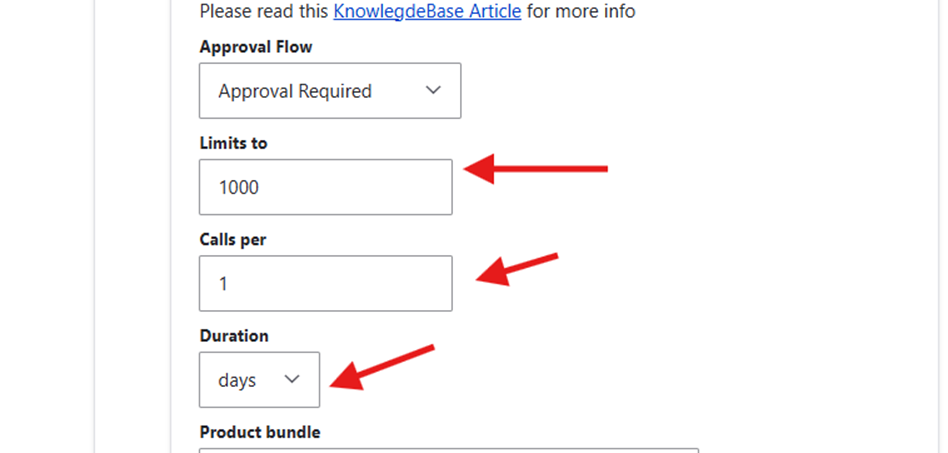
Limits to, Calls per, Duration: - This fields are for limited free plan in this you need to specify how many calls per given duration can be managed by API proxy set in the apigee.
Eg. Limits to 1000 calls per 1 day
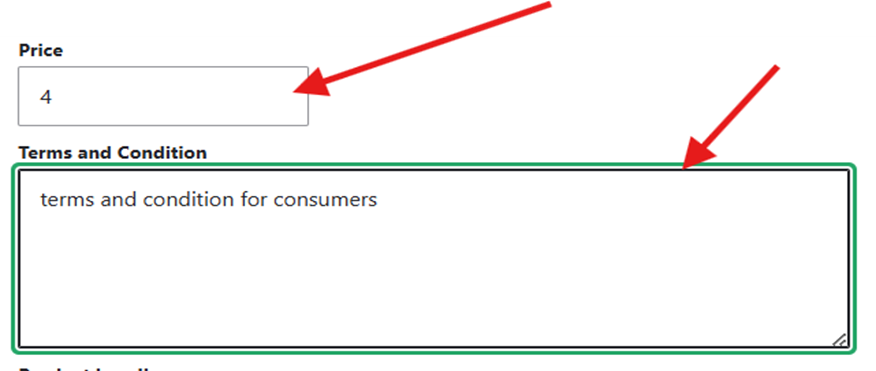
Price: - Only for paid plan you need to specify this field as a price for your api for consumers. Price is in $.
Terms and Conditions: - This are normal terms and conditions that how consumers credentials will get approved and other API details so consumers can be aware of it.
Disclaimer: You have to add minimum 1 Plan of usage and maximum 5 Plans for your single API Product according to your needs.